

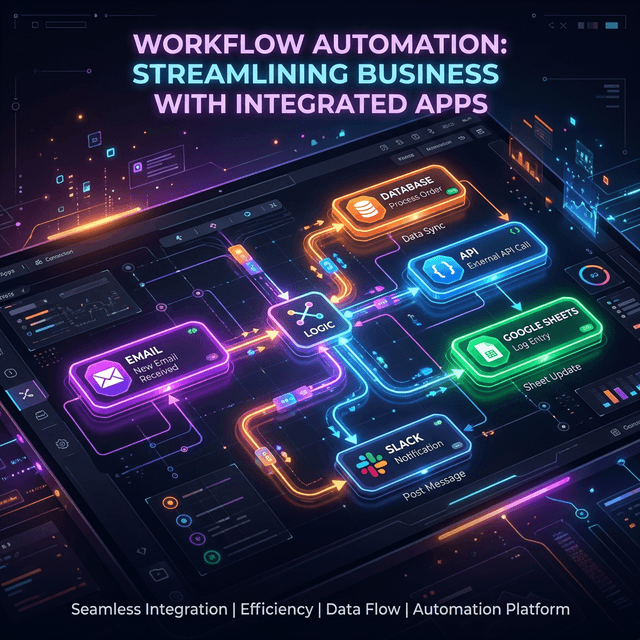
What n8n Workflow Automation Actually Is
n8n workflow automation is the practice of building event-driven processes on n8n, an open-source platform that connects 500+ apps through a visual canvas while letting you drop into JavaScript or Python wherever the logic demands it. It self-hosts on Docker or Kubernetes, ships with native AI agent nodes, and charges no per-execution fees when you run it yourself.
That definition matters because most content lumps n8n in with Zapier and Make. They are not the same category. Zapier and Make are SaaS-only, closed-source, and priced per execution — fine for marketing teams running a few thousand triggers a month, ruinous for an engineering team running millions.
n8n sits in a different bucket: code-optional infrastructure you actually control. You start with the same drag-and-drop builder, but every node is open source, every workflow exports as JSON, and the platform itself runs on a server you own. That ownership becomes load-bearing the moment your automation touches sensitive data, runs at scale, or needs custom logic the drag-and-drop layer cannot express.
This guide is the playbook we use at Codmaker for our own automation — from pulling AdMob revenue into a daily Slack digest to triaging GitHub issues with AI agents. We will skip the marketing copy and focus on what actually works in production, including the cases where n8n is the wrong tool.
Why Engineers Are Migrating Off Zapier and Make
The migration story rarely starts with 'we wanted open source.' It starts with a bill. A Zapier plan covering 50,000 monthly tasks runs in the high hundreds of dollars. At 200,000 tasks you are well into four figures per month. n8n self-hosted on a small VPS handles the same volume for the cost of the server — typically $20 to $50 per month — with the only real cap being how many requests your downstream APIs accept.
Cost is the trigger. Code access is what keeps engineers using it. Zapier's Code by Zapier step gives you a sandboxed JavaScript runtime with limited packages, no file system, and a short execution limit. n8n's Code node is full Node.js: import any npm package, hit any file path, run for as long as your queue settings allow. The same applies to its Python option. You can build a workflow that parses a multi-hundred-page PDF, calls a custom ML model, and writes structured results to your database — all inside one workflow file.
The third reason is data ownership. When you self-host, no execution payload, no API key, no log line ever leaves your infrastructure. For teams in healthcare, fintech, or any industry where routing customer PII through external servers is a compliance non-starter, this single property eliminates entire categories of risk.
The fourth and newest reason is AI. Zapier added OpenAI steps. Make added a chatbot panel. n8n rebuilt around AI agents as a first-class primitive: native nodes for OpenAI, Anthropic, Google, Hugging Face, and Ollama, a reasoning loop you can inspect on the canvas, RAG with vector stores, and built-in evaluations to test prompts the same way you test code. That is a different posture toward AI, and it shows in production.
The Three Building Blocks: Triggers, Nodes, Data
Mental model first. Every n8n workflow has three primitives: triggers, nodes, and data. Once these click, every error message and every tutorial makes more sense.
A trigger is what wakes the workflow up. The common ones are webhook (an external service POSTs to your n8n endpoint), schedule (cron), polling (n8n checks Gmail, Slack, Drive every N minutes), and manual (you click run for testing). Triggers are also nodes — they sit at the start of the canvas and define the shape of the data that flows downstream.
A node is a single step. Each node has a configuration panel on the right and shows its input data on the left, then its output data also on the left after execution. This split-pane is n8n's quiet superpower — you never wonder what data a node received. The output of one node becomes the input of the next, and you reference fields with expressions like {{ $json.email }} that auto-complete from the actual data structure.
Data flows as JSON arrays. Each item in the array becomes one execution of the next node. If a Gmail trigger returns 5 emails, the next node runs 5 times — once per email. This item-based execution model is the source of n8n's flexibility and the most common source of new-user confusion. Get it, and most error messages stop being mysterious.
Three connection types matter beyond standard data flow: error connections (where failed items go), main outputs (the normal path), and tool connections (used by AI Agent nodes to expose downstream workflows as callable tools). Master these and you can express any control flow you would write in code.
Building a Real Workflow: AdMob Revenue to Slack Alert
Skip the toy examples. Here is a workflow we run at Codmaker for AdMetric Pro, our AdMob analytics product. Every morning at 8 a.m., it pulls yesterday's AdMob revenue for each of our apps, compares it to the 7-day average, and posts a digest to Slack — with a flag if any app dropped more than 30%.
The build took about 45 minutes. The only custom code is roughly 30 lines of JavaScript inside one Code node. Everything else is configuration. We did not write a backend, deploy a cron container, or stand up any new infrastructure — the same n8n instance runs ten other workflows for unrelated jobs.
The real lesson is not the specific workflow. It is the shape: a trigger, a couple of API calls, a small piece of glue code, a branching decision, and a notification. That shape covers maybe 70% of useful automation, and once you have built one, the next ten take an hour each instead of a sprint.
- Trigger: Schedule node set to days at 08:00 in our timezone
- Node 2: HTTP Request to the AdMob Reporting API with OAuth credentials stored in n8n's encrypted credential store
- Node 3: Code node (JavaScript) that flattens the nested AdMob response into one item per app with appId, revenue_yesterday, revenue_7d_avg, delta_percent
- Node 4: IF node — items where delta_percent < -30 branch to 'urgent', everything else to 'normal'
- Node 5a (urgent): Slack node posting to #revenue-alerts with a formatted block tagging the on-call engineer
- Node 5b (normal): Slack node posting to #daily-digest with a clean table of all apps and their revenue
AI Agents in n8n: Past the Hype
AI Agent nodes are the headline feature in n8n's 2025-2026 push. The reality is more interesting than the marketing.
What works well: the Agent node implements a real ReAct-style reasoning loop. You give it a system prompt, a model (OpenAI, Anthropic, Google, or local via Ollama), and a list of tools — which are just other n8n workflows. The agent receives a task, reasons about which tool to call, calls it, observes the result, and iterates. The visual canvas shows every step of this loop in real time. When an agent calls the wrong tool or hallucinates an argument, you see it immediately. That observability is genuinely better than what you get from rolling your own with LangChain or pure SDK calls.
What works less well: agent loops are slow and expensive. A workflow that would take 800ms as deterministic code takes 8 to 30 seconds as an agent. Token costs add up fast when the model reasons over large tool outputs. For our use cases at Codmaker, agents earn their keep on tasks where the decision logic is genuinely fuzzy — categorizing customer support emails, summarizing long PDF documents, deciding which template to use for an outreach reply. For deterministic tasks — formatting data, calling APIs, routing on simple conditions — code is faster, cheaper, and more reliable. Use agents where they replace human judgment, not where they replace a switch statement.
The native evaluations feature is the underrated piece. You can define test cases (input plus expected output) and run them automatically against your agent. This makes prompt iteration disciplined instead of vibes-based. We run evaluations before any agent workflow ships to production, the same way we run unit tests before merging code.
Self-Hosting n8n: The Cost Math
The fastest way to make this concrete is real numbers. A single n8n instance on a $20/month VPS (2 vCPU, 4GB RAM, 80GB SSD) handles around 100,000 executions per day comfortably, assuming most workflows are I/O-bound API calls. PostgreSQL as the backend, n8n in queue mode with one worker, and you have a stable setup that costs $20 to $50/month all-in with backups.
The crossover point where self-hosting starts winning on cost is around 5,000 to 10,000 executions per month — well below where most automation programs start to matter. By the time a team has serious automation needs, self-hosted n8n is one to two orders of magnitude cheaper than Zapier or Make at equivalent volume.
What self-hosting costs you instead is operational responsibility. You own backups, you own uptime, you own the upgrade cycle. For teams without DevOps capacity, that calculus changes. n8n Cloud exists for a reason — pay the SaaS premium and skip the ops. For engineering teams that already run servers, self-hosted is the obvious move.
One trap to avoid: do not run n8n on SQLite past the prototype stage. The default Docker image uses SQLite, which is fine for testing but unreliable under concurrent writes at scale. Switch to PostgreSQL early. The five-minute migration saves a future incident.
- Zapier Professional tier (mid-tens of thousands of tasks/month): high hundreds of dollars per month [verify current pricing]
- Zapier Team tier (100k tasks/month): roughly $2,000/month [verify]
- Make Pro tier (100k ops/month): high hundreds per month [verify]
- n8n self-hosted (100k+ executions/day): $20 to $50/month infrastructure
- n8n Cloud Starter (managed, low-thousands of executions/month): around $20/month [verify]
- Crossover point favoring self-hosting: ~5,000-10,000 executions/month
When n8n Is the Wrong Tool
Every honest tool review needs this section. n8n is not always the right answer, and pretending otherwise leads to bad architectures.
Skip n8n if your workflow has sub-second latency requirements. The visual orchestration adds overhead — roughly 50-200ms per node — which is fine for background jobs and wrong for anything in a hot user-facing request path. When we built the image classification pipeline for PlantDoc, we briefly considered n8n as the orchestrator. We chose a Node.js backend instead because a 500ms identification needs to feel instant, not workflow-delayed.
Skip n8n if your team will never look at the canvas. Workflows that change once a year and then disappear into the basement are better as plain code in your main repo, where they sit next to tests, code review, and your CI pipeline. n8n shines when workflows change often, when non-engineers need read access to understand what is happening, or when visual debugging genuinely saves time. If none of those apply, a cron script is fine.
Skip n8n if you need true high-throughput real-time event streaming. n8n is built for workflow execution, not Kafka-style event pipelines. For 10,000 events per second sustained, you want a streaming platform — Kafka, Redpanda, or AWS Kinesis — with custom consumers. n8n handles bursts and reasonable throughput, but it is not the right architecture for high-volume streaming.
Skip n8n if your workflows live entirely inside a single tightly-integrated platform — say, all your automation lives inside Salesforce or Notion. The native tooling will usually be smoother than building bridges through n8n. Reach for n8n when you are connecting across platforms, not when you are entirely inside one.
Production Patterns: Error Handling, Versioning, Observability
Most n8n content stops at 'here is how to build a workflow.' Production is where most teams stall. Three patterns make the difference.
Error handling. Every node has an error output. Most tutorials ignore it. The pattern we use: every workflow ends with an Error Trigger node connected to a Slack notification and an issue creation in our tracker. When something fails in production, we see it in 30 seconds, not when someone notices a missing report next week. For workflows that hit flaky third-party APIs, wrap the call in a 'Retry on Fail' setting (built into every node) with exponential backoff. Three retries with backoff catches the vast majority of transient failures.
Versioning. n8n workflows are JSON. Export them, commit them to a Git repo, review changes in pull requests. The Enterprise plan has built-in Git sync; on Community edition, you do this manually with the API or via a nightly export script. Either way, treat workflows as code. Workflows that drift from a versioned source are workflows that mysteriously break six months from now and no one remembers why.
Observability. n8n's built-in execution history is good but ephemeral by default. For workflows that matter, pipe execution data to your logging stack — we route JSON logs to a Loki instance with a Grafana dashboard showing execution counts, success rates, and p95 duration per workflow. When a workflow's success rate drops from 99% to 92%, we know within minutes.
- Always wire an Error Trigger node to a Slack channel or issue tracker — silent failures rot
- Use 'Retry on Fail' with exponential backoff on every third-party API node
- Export workflow JSON to Git nightly; review changes in PRs
- Pipe execution logs to your existing observability stack (Loki, Datadog, ELK) for retention beyond the n8n window
- Split long workflows into sub-workflows callable from multiple parents — DRY applies to automation too
- Document workflow purpose in a Sticky Note at the top of the canvas, so future-you sees the why before the how
Frequently Asked Questions
Quick answers to the questions we hear most often when teams evaluate n8n. Each one expands on a decision we have actually made or seen made.
- Is n8n free? Yes — the Community edition is open source under the Sustainable Use License. Self-host it and pay nothing for the platform itself. Paid plans add SSO, RBAC, Git sync, and managed hosting.
- Does n8n work without code? Yes. Most workflows can be built entirely with the visual nodes. The Code node is there for when you need it, not required by default.
- How does n8n compare to Zapier? Zapier is closed-source SaaS with per-execution pricing. n8n is open-source, self-hostable, and unmetered when self-hosted. Zapier wins on polish and simplicity; n8n wins on cost, control, and code flexibility.
- Can n8n run AI workflows? Yes — native nodes for OpenAI, Anthropic, Google, and Ollama. The AI Agent node implements a full reasoning loop with tools, memory, and RAG support.
- What database should I use for self-hosted n8n? PostgreSQL. SQLite is the default but unreliable under load. Switch to Postgres before you put real traffic on the instance.
Related reading
Mar 9, 2026
Why n8n Is the Best Workflow Automation Platform: Advantages Over Zapier, Make, and Others
Open-source, self-hostable, code-flexible, and AI-native — n8n offers fundamental advantages that closed-source automation platforms cannot match. Here is why technical teams are switching.

Apr 5, 2026
AI-Powered Workflow Automation in 2026: The Trends Reshaping How Businesses Operate
From intelligent document processing to autonomous decision engines, AI-driven workflow automation is eliminating manual tasks at an unprecedented pace. Here is what every business leader and developer needs to know about the trends defining 2026.

Apr 2, 2026
No-Code AI Platforms in 2026: How Non-Developers Are Building Intelligent Applications
The barrier between idea and AI-powered application has never been lower. No-code AI platforms are enabling business analysts, marketers, and entrepreneurs to build sophisticated intelligent applications without writing a single line of code.